
The Fliporax Desk Edit
Best computer accessoriesfor a smarter home office.
A carefully edited collection of computer accessories for work from home, study, video meetings and creative projects—chosen to solve real desk problems without filling the page with look-alike products.
Disclosure: As an Amazon Associate, Fliporax may earn from qualifying purchases. This does not change the price you pay.
Computer accessories for work and study
Eight useful upgrades, each with a clear job
These picks cover the most common home-office needs: more laptop ports, a better screen position, quieter input devices, clearer calls, dependable storage, focused lighting and easier switching between two computers.
 BEST OVERALL
For port-limited laptops
Anker 555 USB-C Hub
A compact way to connect a monitor, wired internet, memory cards and everyday USB devices through one laptop port.
- 8-in-1 connectivity
- 4K HDMI and Ethernet
- SD and microSD card access
Current price and availability are shown on Amazon.
 DESK UPGRADE
For a cleaner laptop setup
Nulaxy C3 Laptop Stand
A simple screen-height upgrade that also opens up useful space beneath your laptop and keeps the desk looking organized.
- Stable aluminum build
- Open design for airflow
- Fits most everyday laptops
Current price and availability are shown on Amazon.
 SMALL DESK PICK
For work, school and travel
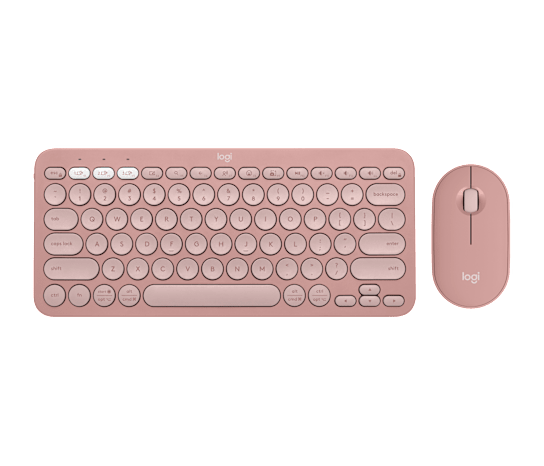
Logitech Pebble 2 Combo
A quiet, compact keyboard-and-mouse set that keeps a small workspace flexible without adding visual clutter.
- Slim compact profile
- Multi-device convenience
- Quiet typing and clicks
Current price and availability are shown on Amazon.
 PRODUCTIVITY PICK
For long work sessions
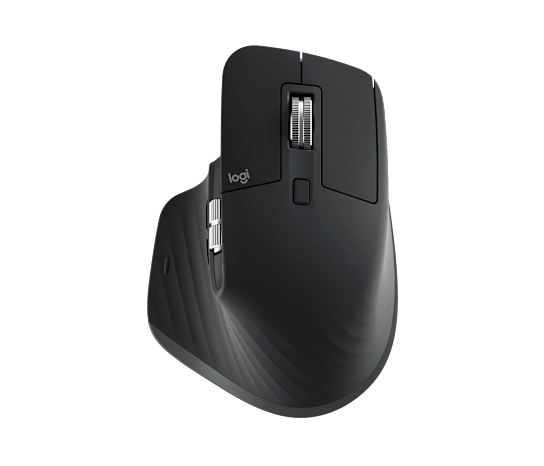
Logitech MX Master 3S
A premium productivity mouse for precise control, fast scrolling and comfortable use across creative and office workflows.
- High-precision tracking
- Quiet comfortable clicks
- Fast electromagnetic scroll wheel
Current price and availability are shown on Amazon.
 REMOTE WORK PICK
For calls, classes and interviews
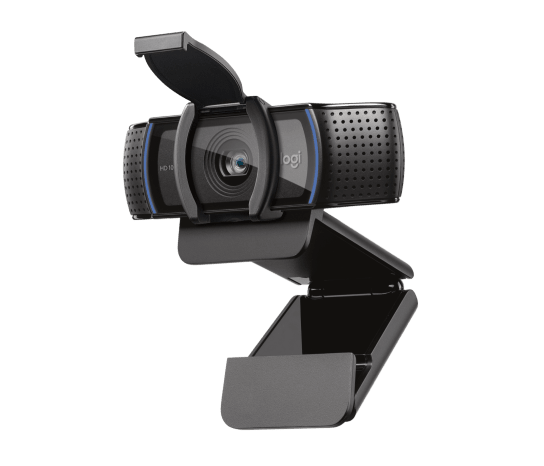
Logitech C920s Pro HD Webcam
A straightforward Full HD webcam upgrade for clearer meetings, virtual classes, interviews and everyday recordings.
- Full HD video
- Automatic light correction
- Built-in privacy shutter
Current price and availability are shown on Amazon.
 BACKUP PICK
For files on the move
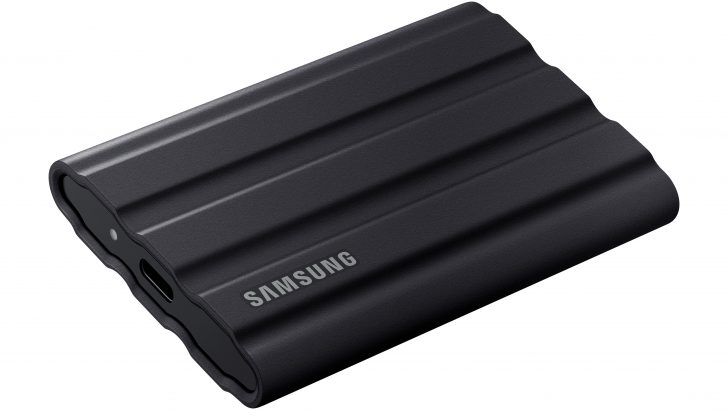
Samsung T7 Shield Portable SSD
Fast, compact storage for project files, photos, videos and a practical laptop backup routine at home or on the road.
- Compact travel-ready design
- Fast USB-C file transfers
- Rugged everyday protection
Current price and availability are shown on Amazon.
 PREMIUM LIGHTING
For a polished desk atmosphere
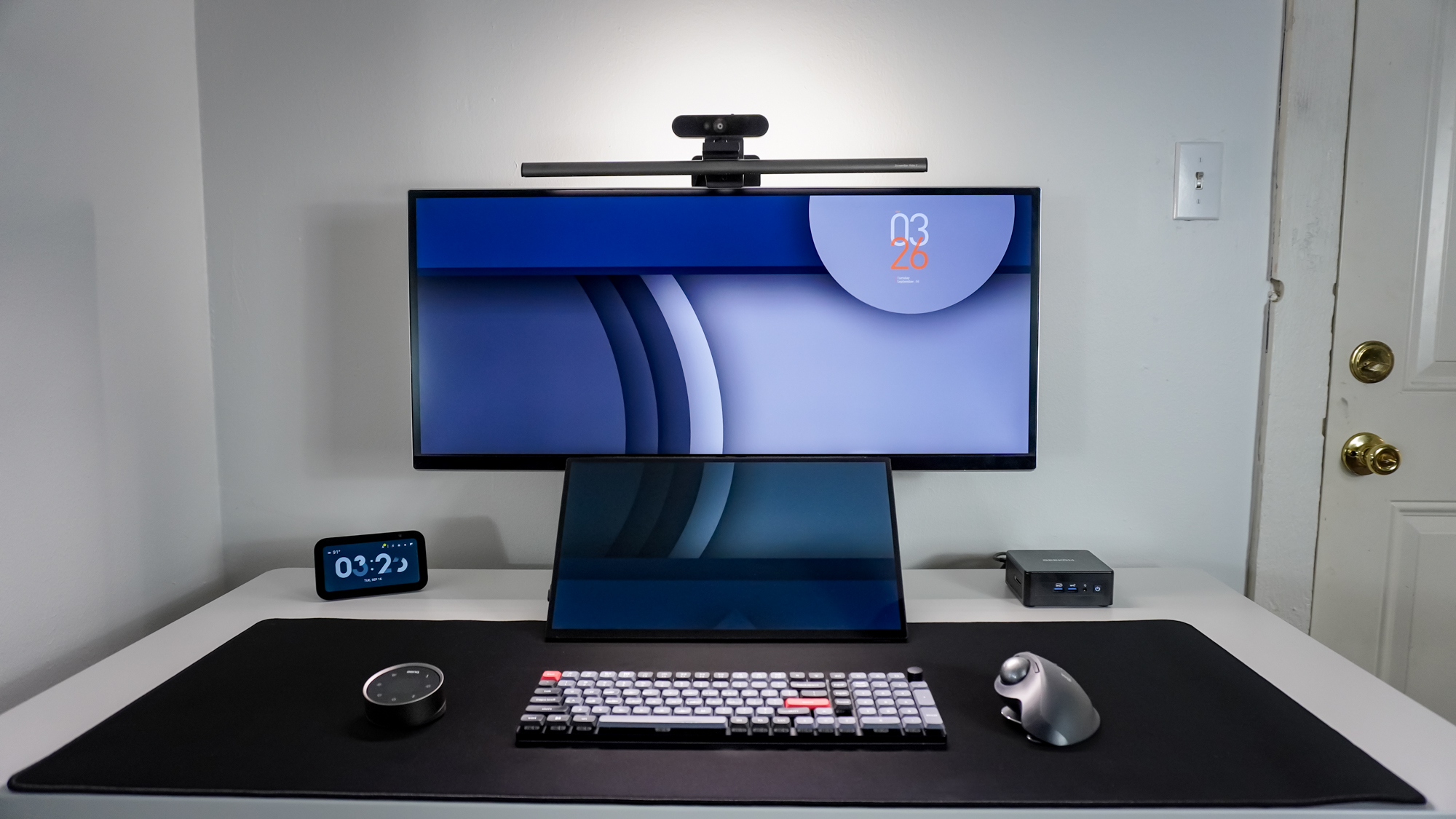
BenQ ScreenBar Halo 2
A space-saving monitor light that adds focused illumination and a more refined finish to evening work sessions.
- Front and rear lighting
- Adjustable brightness and warmth
- Clean space-saving design
Current price and availability are shown on Amazon.
 TWO-PC SOLUTION
For work and personal computers
UGREEN USB Switch Selector
A practical one-button solution for sharing a keyboard, mouse and other USB devices between two computers.
- One-button switching
- Share up to four USB devices
- Reduces cable swapping
Current price and availability are shown on Amazon.
Quick comparison
Choose the accessory that fixes your biggest desk problem
You do not need every item at once. Start with the problem you notice most often, then add another upgrade only when it serves a different purpose.
| Your main need | Best match | Why it fits |
|---|---|---|
| More ports for a modern laptop | Anker 555 USB-C Hub | A small hub is usually the simpler choice when you need HDMI, Ethernet, card readers and USB ports but do not need a permanent desktop dock. |
| A more comfortable laptop screen height | Nulaxy C3 Laptop Stand | A laptop stand raises the whole computer; a basic riser may offer less adjustability or airflow, so compare size and viewing height before buying. |
| A compact keyboard and mouse | Logitech Pebble 2 Combo | Its slim footprint makes it easier to keep a small desk tidy or carry the set between home, school and shared workspaces. |
| Faster daily navigation | Logitech MX Master 3S | The extra control and fast scrolling are most useful for long documents, timelines, spreadsheets and creative software. |
| Clearer remote meetings | Logitech C920s Webcam | A dedicated webcam can be a sensible upgrade when your laptop camera looks soft, dark or poorly positioned. |
| Portable laptop backup | Samsung T7 Shield SSD | A portable SSD keeps large files available offline and can complement cloud storage for a second copy of important work. |
| Focused desk lighting | BenQ ScreenBar Halo 2 | A monitor light bar saves desk space compared with a traditional lamp and keeps the work surface evenly lit. |
| One keyboard and mouse for two computers | UGREEN USB Switch | A USB switch is a simple option when you only need to share peripherals; a full KVM is better when you also need to switch displays. |
A few comparisons worth making before you buy
Compatibility matters more than the badge on the box. Check your laptop ports, operating system, available desk space and the exact devices you plan to connect.
USB-C hub vs. docking station
Choose a hub for portability and a few extra ports. Choose a dock for a permanent workstation, higher charging power or multiple external displays.
Laptop stand vs. laptop riser
Both raise the screen, but stands often emphasize airflow and portability while risers may offer storage or a wider desktop footprint.
Portable SSD vs. cloud storage
An SSD gives fast offline access; cloud storage helps with remote access and syncing. Important files are safer when you keep more than one copy.
USB switch vs. KVM switch
A USB switch shares peripherals. A KVM can also switch monitors, which is useful for a more advanced two-computer workstation.
A human-first shortlist
Useful first. Good-looking second. Easy to understand throughout.
This page is intentionally smaller than a typical marketplace category. Each item earns its place by solving a different problem, so you can compare calmly instead of scrolling through dozens of nearly identical listings.
Helpful before you choose
What are the best computer accessories for working from home?
For most laptop-based home offices, the most useful starting combination is a laptop stand, an external keyboard and mouse, a USB-C hub and a dependable webcam. Add a portable SSD when local storage or backup is a concern.
Is a USB-C hub better than a docking station?
A USB-C hub is usually smaller and easier to carry. A docking station is usually better for a permanent desk with higher charging needs, several displays or many connected devices. Your laptop must support the display and charging features you plan to use.
Is a laptop stand worth it for a small desk?
It can be, especially when the stand creates room underneath the laptop. For comfortable typing, pair a raised laptop with an external keyboard and mouse rather than typing on the elevated keyboard for long periods.
Should I use a portable SSD or cloud storage for backup?
They serve different needs. A portable SSD offers fast offline access, while cloud storage helps with syncing and remote access. Keeping important files in more than one location provides a more resilient backup routine.
Will a USB switch work with two computers?
Yes, a compatible USB switch can share devices such as a keyboard, mouse or printer between two computers. It does not usually switch a monitor; for that, compare KVM switches.
Why are prices not displayed on this page?
Amazon prices and availability can change. Each product button opens Amazon in a new tab so you can review the current listing, compatibility details and delivery information before making a decision.
Fliporax is an independent product discovery website. Product names and trademarks belong to their respective owners.